



PrettyLinks Review: If you’re building a niche website, running a WordPress blog, or starting an affiliate marketing business, managing your links can quickly become an important part of your workflow. PrettyLinks is a WordPress plugin designed to help website owners create branded links, manage redirects, and track link clicks from their own websites.
When I started building my online business and working on niche websites, I began looking for practical tools that could make website management easier. I installed PrettyLinks on my WordPress website because I wanted a more organized way to manage the links I share in my content.
In this review, we’ll look at what PrettyLinks does, its key features, its potential benefits and limitations, and whether it’s worth considering for your affiliate marketing strategy.
What Is PrettyLinks?
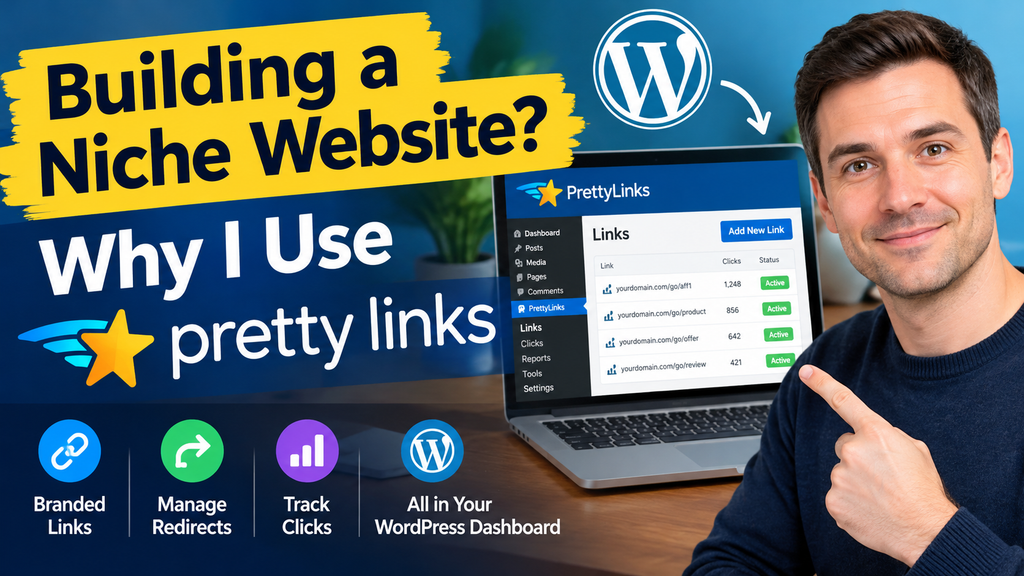
PrettyLinks is a WordPress plugin that helps you turn long URLs into shorter, more recognizable links using your own domain. It also provides link management, redirect settings, and click-tracking features.
For example, an affiliate URL might contain a long string of tracking parameters that looks confusing when shared with readers. With PrettyLinks, you can create a cleaner URL using your website’s domain and a custom slug.
Instead of sharing a complicated link, you might create something like:
When someone clicks that link, PrettyLinks redirects them to the destination URL you’ve configured.
This can be useful for affiliate marketers, bloggers, content creators, and website owners who regularly share external links.
You can learn more about the plugin on the official PrettyLinks website.
Why I Use PrettyLinks for My Niche Website
Building an online business involves managing many small but important details. Alongside publishing content, improving SEO, and maintaining a website, I also need a practical way to organize the links I share with visitors.
That’s why I installed PrettyLinks on my WordPress website.
When you start publishing articles and recommending products or services, you may find yourself using the same affiliate links in multiple places. Keeping those links organized becomes increasingly important as your content library grows.
PrettyLinks gives me a centralized place to manage the links created through the plugin. If a destination URL changes, I can update the corresponding redirect rather than manually searching every article where I shared the original destination URL.
I also like the idea of using branded links that match my website’s domain. They can look cleaner in blog posts, promotional content, and other marketing materials.
For anyone building a niche website, these are practical reasons to consider a dedicated link management tool.
Key PrettyLinks Features
PrettyLinks offers several features that can help WordPress website owners manage links more efficiently. Feature availability may vary by plan.
1. Create Branded Short Links
One of PrettyLinks’ main features is the ability to create shorter, branded links using your own domain.
This is particularly useful when sharing affiliate URLs that contain long tracking parameters. A customized link can be easier to read, remember, and organize.
Branded links can also provide a consistent appearance across your website, email campaigns, social media posts, and other promotional channels.
However, a shorter URL alone does not guarantee more clicks or higher conversions. The relevance of the offer and the quality of your content still matter.
2. Manage Redirects
PrettyLinks allows you to configure redirects between your branded links and their destination URLs.
This can be helpful when managing affiliate campaigns, product recommendations, or links to external services.
If a product page moves or an affiliate destination changes, you can update the target URL associated with your PrettyLink. This can save time when the same branded link appears in several places.
The plugin supports different redirect types, including permanent and temporary redirects. Choose the appropriate setting based on the purpose of each link rather than assuming every link should use the same redirect type.
3. Track Link Clicks
Understanding how visitors interact with your links can help you evaluate your content and promotional strategy.
PrettyLinks provides click-tracking and reporting features that can show activity associated with your links.
For example, you may be able to identify which links receive more clicks and which promotional placements attract less attention. This information can help you decide where further testing or content improvements may be useful.
Keep in mind that a click is not the same as a sale. Affiliate commissions and conversions may need to be checked separately through the relevant affiliate program or analytics tools.
4. Organize Affiliate Links
As your niche website grows, you may recommend products from several merchants or participate in multiple affiliate programs.
A centralized link management dashboard can make it easier to maintain your links and identify their intended destinations.
Depending on the features available in your version, PrettyLinks also provides options for categorizing, tagging, importing, or exporting links.
This can be especially useful for website owners who publish content regularly and want to avoid managing every link manually.
5. Automate Some Link Management Tasks
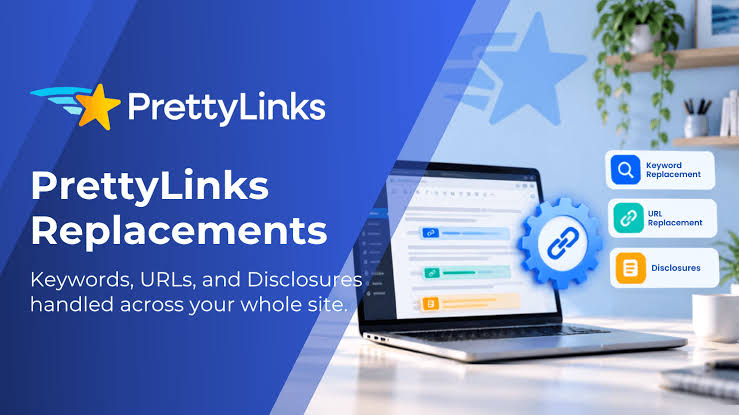
Some paid PrettyLinks plans offer additional automation features, such as automatically linking specified keywords in website content, advanced redirects, and more detailed reporting.
These tools may save time for publishers who manage a large volume of content.
Before upgrading, check the current plan comparison and make sure the specific automation features you need are included.
For a small niche website, the basic functionality may be sufficient. You don’t necessarily need every available feature when you’re just getting started.
Benefits of Using PrettyLinks for Affiliate Marketing
PrettyLinks can be useful for several reasons.
Cleaner links: Branded URLs can look more organized than long affiliate URLs.
Centralized management: You can manage links created with the plugin from your WordPress dashboard.
Flexible destinations: Updating a redirect can be easier than replacing the destination URL in every place where it appears.
Click insights: Tracking data can help you understand which links receive attention.
Potential time savings: Automation features may reduce repetitive work as your website and content library grow.
These benefits are most relevant when you regularly publish content and share affiliate links across multiple pages or channels.
Potential Limitations of PrettyLinks
Although PrettyLinks can be useful, it isn’t essential for every website.
First, if your website contains only a few external links, manually managing them may be sufficient. A dedicated plugin may not provide enough value to justify a paid subscription in that situation.
Second, some advanced capabilities are restricted to paid plans. Review the current feature list and pricing before making a purchase.
Third, click tracking requires careful interpretation. A link that receives many clicks doesn’t necessarily generate more revenue, and tracking information may be affected by bots, browser privacy settings, or other measurement limitations.
Finally, adding another plugin means maintaining another component of your WordPress installation. Keep it updated and review its settings, especially if your website collects visitor data.
PrettyLinks can support your workflow, but it won’t replace quality content, effective SEO, relevant offers, or a well-planned affiliate marketing strategy.

PrettyLinks Review: Is It Worth It?
After considering its core features and potential use cases, I believe PrettyLinks is worth considering if you’re building a WordPress niche website and regularly managing affiliate links.
Its main appeal is the ability to create branded links, manage redirects from a central dashboard, and review click activity without relying entirely on a separate link-shortening service.
For a beginner, the most important question is whether you actually need these features.
If you’re publishing product reviews, writing comparison articles, recommending online services, or sharing affiliate offers across multiple channels, PrettyLinks may help you keep your links organized.
If you only use a handful of external links, you may prefer to start with a simpler solution and upgrade your workflow as your website grows.
I recommend comparing the free version and paid plans against your specific requirements before deciding which option is right for you.
Who Should Consider PrettyLinks?
PrettyLinks may be a good fit for:
- WordPress website owners who manage multiple affiliate links.
- Niche website builders who publish product reviews and recommendations.
- Affiliate marketers who want branded URLs on their own domains.
- Bloggers and content creators who share links across different channels.
- Publishers who want centralized link management and click reports.
It may be less necessary for websites with very few external links or for people who don’t need branded URLs, redirect management, or click tracking.
How to Get Started with PrettyLinks
If you’d like to explore PrettyLinks, you can start by visiting its official website and reviewing the available features.
Step 1: Check your requirements. Decide whether you primarily need branded links, redirect management, click tracking, or more advanced automation.
Step 2: Choose a suitable plan. Compare the current free and paid options, including site limits and the features available in each plan.
Step 3: Install and configure the plugin. Follow the official installation instructions and configure your preferred link settings.
Step 4: Create your first branded link. Add the destination URL, choose a recognizable slug, and check that the redirect works as intended.
Step 5: Review link activity. If click tracking is enabled, use the available reports to understand link engagement. Evaluate sales and commissions separately using your affiliate program’s reporting tools.
You can explore PrettyLinks here:
If you choose to use my recommendation link, you can also visit:
Affiliate disclosure: The link above may be an affiliate link. If it is an affiliate link and you purchase through it, I may earn a commission at no additional cost to you.
Conclusion
PrettyLinks is a useful WordPress plugin to consider if you’re building a niche website, managing affiliate marketing campaigns, or regularly sharing links with your audience.
Its branded short links, redirect management, and click-tracking features can help keep your link workflow organized as your website grows. Advanced features may provide additional value for publishers who manage larger content libraries or more complex campaigns.
For my own online business, installing PrettyLinks was a practical step toward organizing the links I use on my WordPress website. Whether it’s the right choice for you depends on your website’s size, workflow, and budget.
If you’re just getting started, focus on the features you genuinely need and compare the available plans before paying for advanced functionality.
Ultimately, PrettyLinks can help you manage affiliate links more efficiently, but your long-term results will still depend on useful content, relevant recommendations, and a solid strategy for attracting the right audience.